What Goes Into a Professional Media Kit? The Ultimate 2026 Checklist
18 sections that belong in every professional media kit. Plus bonus building blocks your competition is missing — and a profession-by-profession matrix so you know in 5 minutes what you actually need.
We answer this question by email five times a week: What actually belongs in a professional media kit? The answers you find online are usually one of three flavors — superficial ("bio, contact, done"), industry-mismatched ("influencer kits need engagement rates"), or positioned as bait before a template upsell.
We wrote this article because we see daily which sections in real profiles produce booking inquiries — and which ones organizers, journalists, and bookers skip entirely. You'll get the 18 must-have sections every media kit needs in 2026, plus five bonus building blocks your competitors don't have. There's also a matrix showing which sections matter most for your specific profession.
Quick definition: what is a media kit?
A media kit (also: press kit, speaker profile, EPK) is the page you show event organizers, journalists, booking agencies, and prospective clients when they want to know: who are you, what do you do, and why should they book or write about you? It replaces endless email loops of "can you send me your bio again?" and "do you have a higher-resolution photo?" with a single URL that shows everything.
Classically a PDF emailed around. Today: a live URL with everything packaged — bio, topics, press quotes, booking inquiry form, downloadable press photos, packages, more. Anyone still sending 30 MB PDFs is losing — organizers click links, not attachments.
What this looks like in practice: see a complete live media kit example — every section we discuss here, in a real example.
The 18 must-have sections of a professional media kit
1. Hero: photo, name, tagline
Your first impression. Three seconds to land it.
What belongs:
- Professional headshot (min. 1200×1200px, clean background, not vacation selfie)
- First and last name plus title if relevant (Dr., Prof.)
- One-sentence tagline — 8–12 words on what you do and for whom
Common mistakes:
- Logo instead of photo (organizers want to see the person)
- Tagline with three buzzwords ("Inspirational Visionary Catalyst")
- Low-res photo (looks pixelated on big screens)
2. Speaking topics / specialty areas
Where it gets concrete. Organizers scan exactly this section to decide if you fit their event.
What belongs:
- 3–6 clearly named topics (no more — choice paralysis)
- Per topic: format (Keynote, Workshop, Panel), duration, 2–3 sentence description
- Optional: photo or video per topic
Common mistake: Generic topics like "Leadership" or "Digital Transformation." Specific sells: "AI Leadership 2030 — How Boards Use AI as Co-Pilot Without Outsourcing Decision Authority."
3. Press quotes & testimonials
Social proof is the biggest lever. Organizers prefer booking someone others booked successfully.
Separate clearly:
- Press quotes = quotes from media (WSJ, Forbes, FT, BBC)
- Testimonials = quotes from clients/event organizers
Per quote: source (with date or function), ideally linked to original. Three strong quotes beat ten weak ones.
4. "As seen in" — logo wall
Fastest trust signal: logos of media you've appeared in — TV, magazines, podcasts, conferences.
Tips:
- 4–8 logos (more feels overloaded)
- Black & white or muted (so colors don't fight)
- Only what you actually appeared in (legal risk otherwise)
5. Packages & fees
Here opinions split: name fees or not? Clear recommendation: at minimum a range, ideally specific. Organizers with too-small budgets self-filter. You save back-and-forth.
Format:
- Package name (Keynote 45 min, Workshop ½ day, Strategy Sprint)
- Price range ("from $5,000" or "on request" for custom)
- What's included (prep call, slide adaptation, follow-up?)
6. Press photos for download
Organizers need photos for event pages, programs, social posts in high-res. If you don't offer direct download, you'll be asked — by email, with "do you have it in higher res?"
What belongs:
- 3–5 photos in different settings (headshot, stage, workshop, portrait)
- Royalty-free use with attribution (stated on page)
- Direct download button per photo (not "request via email")
7. Showreel / video gallery
Video is the next step after photo. Organizers deciding between you and a competitor want to see how you work on stage — voice, body language, energy.
What belongs:
- Showreel (2–5 min, best-of cuts)
- Optional: longer talks in full (for deeper view)
- Embedded, not linked — viewer shouldn't leave the platform
8. Audio samples / podcast appearances
Often forgotten. Anyone booked as speaker or expert often has podcast experience — and that's a trust signal.
What belongs:
- 2–4 embeds from Spotify, Apple Podcasts, SoundCloud
- Brief context (which podcast, episode #, host)
- Ideally with description of what was discussed
9. Upcoming dates / events calendar
Important for status signaling: regular bookings = in demand.
What belongs:
- Upcoming events (date, venue, city, role)
- Optional: ticket link if public
- Honest curation — empty calendar is worse than no calendar
10. Past references
Proves your expertise. Organizers think: "If TED already had her, she can't be bad."
What belongs:
- 5–10 past events (not all — the strong ones)
- Date, event, role (Keynote/Panel/Moderation)
- Geographic mix (national + international where applicable)
11. Media appearances (TV, print, online, podcast)
Concrete articles, interviews, talk shows with direct links. Different from Section 4 (logos only) — this is about content: what was written where?
What belongs:
- Outlet name, piece title, date
- Type (TV, podcast, print, online)
- Brief excerpt ("10-min studio interview on the AI roadmap of US tech firms")
- Direct link to source
12. Education & certifications
Especially relevant for B2B and consulting contexts. Less so in B2C/influencer.
What belongs:
- Highest relevant degree (PhD, MBA, BSc)
- Certifications (industry-relevant accreditations)
- Per entry: title, issuing institution, year, optional brief description
13. Cooperation partners / brands
Which brands have you worked with? Logos speak louder than words. Microsoft, Google, IBM on your page = more trust than three paragraphs of self-description.
Tips:
- Curate, don't dump — 5–8 strong names
- Black & white or muted styling
- Only brands you've actually worked with (legal risk!)
14. Books & publications
For authors and experts a must. Cover, blurb, direct buy link.
What belongs:
- Cover (high-res)
- Title, subtitle, publisher, year, ISBN
- Brief description (3–4 sentences)
- Affiliate link to Amazon (can become side income)
15. Booking options / what you're available for
Organizers often don't know what's bookable. Instead of letting them guess, list it:
- Keynote / Speaking
- Workshop
- Podcast guest
- Brand cooperation
- Panel / Discussion
- Consulting engagement
- Book project
- TV / Talk show appearance
So nobody asks "do you also do workshops?" — answer is on the page.
16. FAQ for organizers
Golden lever — answers 80 % of email inquiries before they're written:
- What do you charge?
- How much lead time do you need?
- What technical setup do you require?
- Travel and accommodation costs?
- Languages available?
- Do you have a cancellation policy?
Saves you realistically 5–10 emails per inquiry.
17. Booking inquiry form / direct contact
The conversion core. Without this section, your media kit is a beautiful business card without a phone number.
What belongs:
- Name, email, company, request type (dropdown), preferred date, budget, message
- Privacy-compliant consent checkbox
- Confirmation after submit
- Email notification to you + auto-reply to inquirer
At mediakitpro this section is built in from the Pro plan up — inquiries land in your dashboard inbox (Premium) or by email (Pro). See the form live.
18. Imprint / legal info
In Germany legally required. In US/UK helpful for trust. Don't hide it in tiny footer print — organizers want to know who legally stands behind this.
What belongs:
- Name, address, phone, email
- Tax ID (if applicable)
- Person responsible for content
- Regulatory body (where applicable)
Which sections do YOU need? Profession matrix
Not every section matters equally for everyone. Quick reference:
| Section | Speaker | Coach | Influencer | Author | TV Expert |
|---|---|---|---|---|---|
| Hero (photo + bio) | ✓✓ | ✓✓ | ✓✓ | ✓✓ | ✓✓ |
| Speaking topics | ✓✓ | ✓ | — | ✓ | ✓ |
| Press quotes | ✓✓ | ✓ | ✓ | ✓✓ | ✓✓ |
| As seen in | ✓✓ | ✓ | ✓✓ | ✓ | ✓✓ |
| Packages & fees | ✓✓ | ✓✓ | ✓ | — | — |
| Press photos | ✓✓ | ✓ | ✓✓ | ✓ | ✓✓ |
| Showreel / videos | ✓✓ | ✓ | ✓✓ | — | ✓✓ |
| Audio / podcasts | ✓ | ✓ | ✓ | ✓ | ✓ |
| Upcoming dates | ✓✓ | ✓ | — | ✓ | — |
| Past references | ✓✓ | ✓ | ✓ | ✓ | ✓ |
| Media appearances | ✓ | — | ✓ | ✓✓ | ✓✓ |
| Certifications | ✓ | ✓✓ | — | — | ✓ |
| Cooperation partners | ✓ | ✓ | ✓✓ | — | — |
| Books | ✓ | ✓ | — | ✓✓ | ✓ |
| Booking options | ✓✓ | ✓✓ | ✓✓ | ✓ | ✓ |
| FAQ for organizers | ✓✓ | ✓ | ✓ | — | — |
| Booking inquiry form | ✓✓ | ✓✓ | ✓✓ | ✓ | ✓✓ |
| Imprint / legal | ✓ | ✓ | ✓ | ✓ | ✓ |
Legend: ✓✓ = absolute must · ✓ = recommended · — = optional / can skip
Common media kit mistakes (and how to avoid them)
Mistake 1: PDF instead of live URL
Organizers don't forward email attachments. Your PDF dies in person A's inbox — person B (the actual decider) never sees it. A live URL gets shared, forwarded, tracked. Plus: every update on a PDF means complete re-export and re-send. Live URL: one click in editor.
Mistake 2: Too much self-presentation, not enough specifics
Three paragraphs about your "journey" and "vision" aren't sales copy. Organizers want to know: What can you do, what does it cost, when are you available?
Mistake 3: "Fees on request"
"On request" is on every media kit. Concrete range ("from $6,000") pre-filters the right inquiries and positions you in the premium segment.
Mistake 4: Outdated content
"Latest reference: 2022" tells an organizer everything they need to know. Your media kit must be alive — upcoming dates current, new references added.
Mistake 5: No clear call-to-action
If the organizer scrolls and doesn't know how to contact you, you've lost. A booking inquiry button belongs prominently at the end — and ideally in the header.
Bonus: 5 sections your competition doesn't have
Want to stand out from 95 % of media kits? Add these:
Bonus 1: Multilingual with language toggle
EN/DE minimum, ideally more. International organizers thank you. At mediakitpro multilingual is built in from Pro plan in 8 languages — automatic toggle top right.
Bonus 2: Live statistics
Social media reach pulled live from APIs — not "120k followers (March 2024)." Anyone showing current numbers feels active and credible.
Bonus 3: Industry tag cloud
"Industry focus: B2B Tech · Healthcare · Automotive" — organizers scan instantly whether you belong in their world.
Bonus 4: Schema.org markup for Google
Structured data so Google recognizes your speaker status. Also important for ChatGPT, Perplexity, and Claude — these models pull answers from such structured data. mediakitpro generates this automatically.
Bonus 5: Award badge prominent
Won Speaker of the Year or Top Industry Expert? Show it directly in the hero as a badge, not buried in an "About me" section further down.
What does building a media kit with all 18 sections cost?
Three realistic paths:
-
DIY in Canva or Word: 4–8 hours of your time for a PDF, plus regular update load. At a $60/hour rate, $360 in hidden time. No hosting, tracking, multilingual. Honest weakness analysis: see our Canva article.
-
Hire a designer: $300–1,500 one-time for custom design, then maintain yourself. Detail: DIY vs. designer vs. SaaS cost comparison.
-
SaaS tool like mediakitpro: from $0 (free plan, EN+DE), $13/month (Pro with all 8 languages), or $27/month (Premium with booking inbox). All 18 sections pre-built.
If you want to compare different free vs. paid templates before deciding: our template comparison. For a complete platform test of 5 marketplaces: our buyer's guide.
Conclusion: 18 sections are just the foundation
A professional media kit in 2026 has more to deliver than the static PDF press kit of 2010. It must be current, multilingual, trackable, mobile-optimized, with built-in inquiry form and fast loading. The 18 sections in this article are the content checklist. The technical checklist (live URL, PDF export, tracking, multilingual) is barely achievable with the classic routes (Canva, Word, designer PDF) anymore.
Concrete next steps:
- Walk through the 18 sections and gather content for each (texts, photos, logos, videos)
- Choose your path: DIY, designer, or SaaS
- Publish a first version, even if not perfect — you can refine weekly
- Distribute the URL actively: in your email signature, on LinkedIn, in speaker bureau profiles
If you want the fastest path, building a complete media kit with all 18 must-have sections plus the 5 bonus sections takes under 10 minutes — free in our free plan: mediakitpro — start free.
Or first see how it looks in a finished example: Live demo with all 18 sections.
On this page (35)
- Quick definition: what is a media kit?
- The 18 must-have sections of a professional media kit
- 1. Hero: photo, name, tagline
- 2. Speaking topics / specialty areas
- 3. Press quotes & testimonials
- 4. "As seen in" — logo wall
- 5. Packages & fees
- 6. Press photos for download
- 7. Showreel / video gallery
- 8. Audio samples / podcast appearances
- 9. Upcoming dates / events calendar
- 10. Past references
- 11. Media appearances (TV, print, online, podcast)
- 12. Education & certifications
- 13. Cooperation partners / brands
- 14. Books & publications
- 15. Booking options / what you're available for
- 16. FAQ for organizers
- 17. Booking inquiry form / direct contact
- 18. Imprint / legal info
- Which sections do YOU need? Profession matrix
- Common media kit mistakes (and how to avoid them)
- Mistake 1: PDF instead of live URL
- Mistake 2: Too much self-presentation, not enough specifics
- Mistake 3: "Fees on request"
- Mistake 4: Outdated content
- Mistake 5: No clear call-to-action
- Bonus: 5 sections your competition doesn't have
- Bonus 1: Multilingual with language toggle
- Bonus 2: Live statistics
- Bonus 3: Industry tag cloud
- Bonus 4: Schema.org markup for Google
- Bonus 5: Award badge prominent
- What does building a media kit with all 18 sections cost?
- Conclusion: 18 sections are just the foundation
Visibility tips, delivered to your inbox
One actionable tip every 2 weeks for speakers, coaches and consultants. Unsubscribe anytime.
You might also like
ChatGPT for Media Kits — 12 Prompts That Actually Work
AI is the best tool right now for media kit content. 12 ready-to-use ChatGPT prompts to copy — for bio, speaking topics, testimonial polishing, and more. Plus the most common pitfalls.
Collecting Press Quotes & Testimonials — 7 Proven Strategies
A media kit without testimonials doesn't sell. But how do you get good quotes if you're not constantly in the media? 7 proven approaches — from elegant client outreach to conference feedback mining.
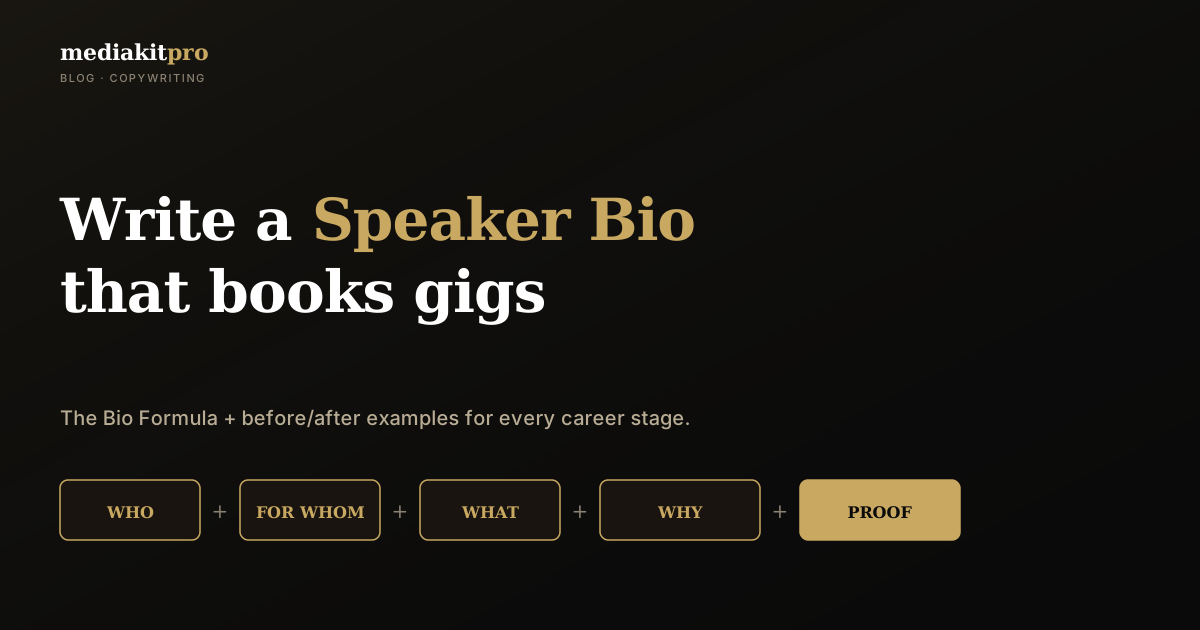
How to Write a Speaker Bio That Books Gigs (Templates Inside)
A strong speaker bio is the most important text in your media kit — and the one most people fumble. Here's the Bio Formula with before/after examples for every career stage.